Tufting Project Record: Yarn, Settings, and Costs
Keep the measurements behind your estimate with the project. A useful record lets you explain why two rugs used different amounts of yarn and decide which settings to repeat. Print this page or copy the fields into your own notebook.
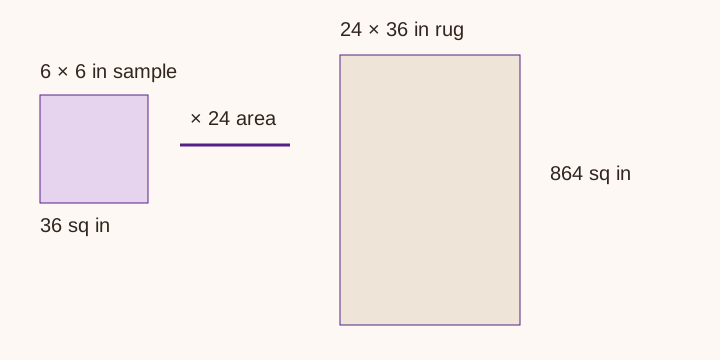
Identify the project and setup
Record the project name, date, design filename, intended dimensions, and use: floor rug, wall piece, or sample. Note whether the dimensions describe a rectangle or the bounding box of an irregular outline. Save the design version, since changing the background or lettering can change the color split without changing the overall size.
Write the machine model, cut or loop mode, selected pile height, strand count, and yarn product. Note a row-spacing observation or take a photo of the sample for your own reference. A label such as medium density is hard to reproduce months later. Use measurements where you can, and keep descriptions honest where you cannot.
| Project / date / file version | ________________________ |
|---|---|
| Finished size / shape / tufted area | ________________________ |
| Machine / mode / pile setting | ________________________ |
| Yarn / strand count / dye lots | ________________________ |
| Sample size / yarn consumed | ________________________ |
Separate yarn use from yarn bought
For each color, record the estimated grams, allowance, stock allocated, cones ordered, and labeled net weight per cone. Save the supplier and dye lot. After tufting, weigh the remaining yarn using the same treatment of cone cores that you used before starting. Keep unused purchased yarn separate from yarn lost to trimming or tests.
Suppose you allocated 1,500 g to a background and ended with 260 g of usable yarn. Your recorded consumption is 1,240 g, assuming the weights exclude the same supports and no yarn went to another project. Compare 1,240 g with the estimate for that color. Do not call the entire 1,500 g order a consumption measurement.
| Color / lot | Planned g | Allocated g | Left g | Used g |
|---|---|---|---|---|
| ____________ | ______ | ______ | ______ | ______ |
| ____________ | ______ | ______ | ______ | ______ |
Record cloth and finishing materials
Measure the frame footprint, required gripping allowance, actual cloth cut, and roll width. Note which direction you placed the cut across the roll. Write down any unusable selvage or defect so your next order does not assume the full advertised width. Keep primary cloth and secondary backing on separate lines.
Record the adhesive product and its instructions, the quantity used, and the time you allowed before the next finishing step. Follow that product's directions rather than importing a drying time from another rug. Include binding or edge materials and any sample you sacrificed while testing the finish. See the cloth planner for primary-cut arithmetic.
Track time without hiding it in a markup
Record design, setup, tufting, trimming, backing, and packing time separately. Materials and labor answer different questions. A material-cost multiplier can conceal a design that takes twice as long as another rug of the same size. Keep your own hourly-rate assumption visible when using the homepage pricing tool.
Enter actual supply prices from receipts and note shipping, taxes, packaging, and selling fees in your cost record. Prices on a worked example are illustrative unless a dated source says otherwise. This worksheet does not set a market price, calculate your taxes, or guarantee that buyers will accept a quote.
Make the next estimate more useful
After completion, write two short notes: what changed from the plan, and what you would repeat. A broken yarn feed, extra carving, or a switched pile height explains more than a single finished weight. If the next project changes yarn construction or settings, take another sample. Do not turn one measured rug into a universal grams-per-square-foot claim.
Use the swatch calculator for the base estimate and the cone calculator for the order. The record stays on paper or in your own file; this page has no account, save function, or submission endpoint. Browser printing may include the diagram, so inspect print preview before using paper.